Plan the stops.
Take the route with you.
Build a multi-stop cruise route in RevLink, open navigation in Google Maps, Waze or Apple Maps, export GPX and generate a share poster from the same route.
One route.
Every useful format.
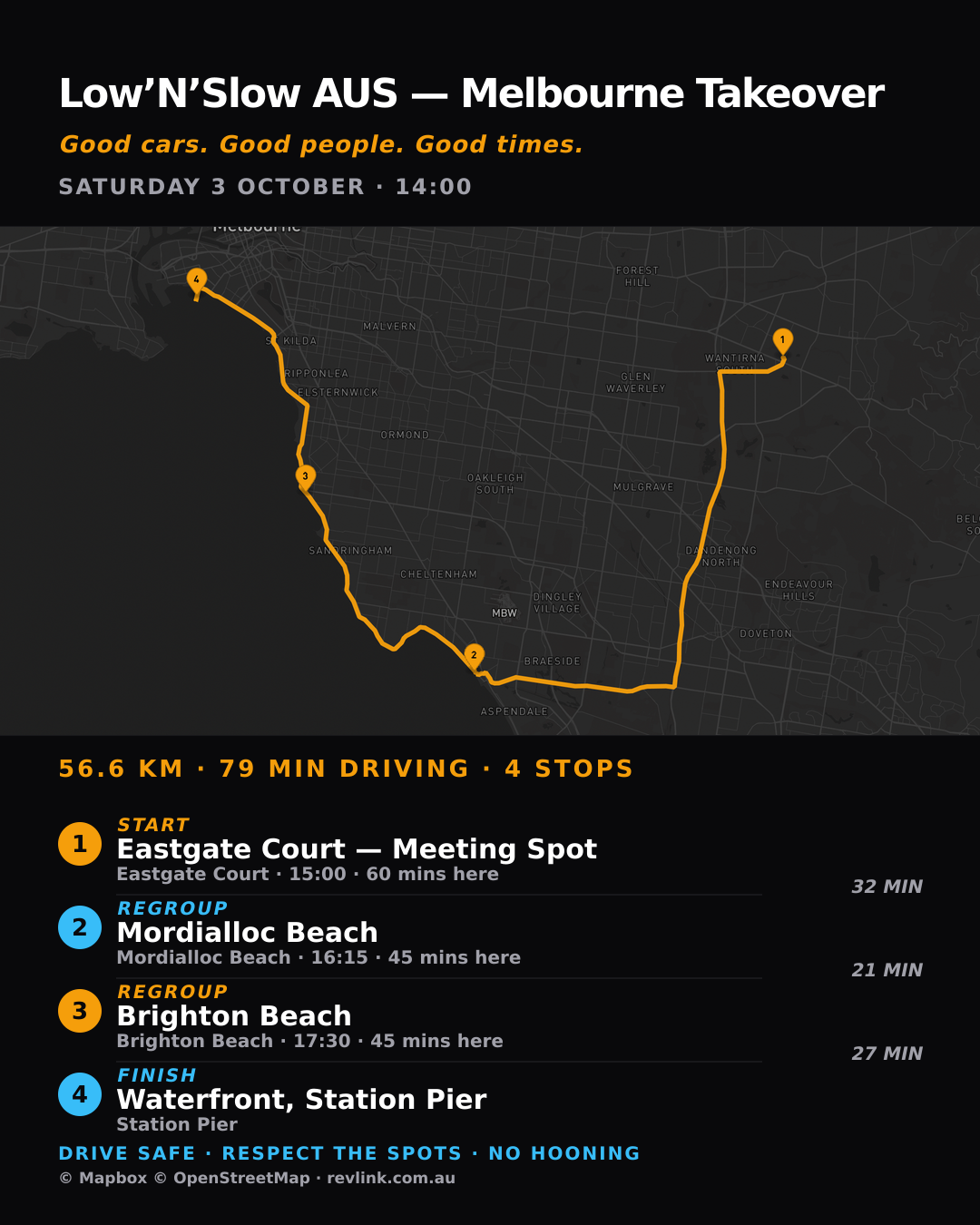
The poster shown here comes from a published RevLink route with verified stops. Distance and drive time are calculated when the poster is rendered, not copied from stored trip data.
- Route page: ordered stops, dwell and per-leg context.
- Navigation: hand off to Google Maps, Waze or Apple Maps.
- GPX: download the route for compatible navigation tools.
- Poster: publish a 1080×1350 share image with the route, stops and attribution.
Real stops.
Real route output.
Published RevLink routes use ordered coordinate waypoints. The route poster and GPX download are generated from that route and are available today.
- Low’N’Slow AUS — Melbourne Takeover: four stops.
- Mount Donna Buang Cruise: three stops.
- Sentinelcars × Plunket Racing First Cruise: two stops.
See who’s out.
Meet on the move.
When a member broadcasts publicly in Cruise Mode, any signed-in RevLink member can see their live position — including members who are not broadcasting themselves.
Live by choice. Guardrails stay on.
- Private cruises never appear on the shared map.
- Ended, expired and positions older than five minutes are not shown.
- Origin protection prevents a home address from being published.
- Live positions are visible to signed-in RevLink members, not the public internet.
Build the route.
Share the plan.
Open RevLink to browse current meets, build published route experiences and see active public cruisers live.